Image generation prompt to create cute 2D character icons from photos or illustrations
Prompt
【Goal】

Reinterpret the person or character in the user-provided image as a single minimal 2D bot icon with near-black capsule eyes.

Take the visual features from the original necessary for identification, but follow the specifications below for face structure, eyes, expression, composition, and coloring. In these guidelines, Grok bot icon refers to this visual specification.

【Information to take from the source】

Identify the subject’s skin tone or surface base color, hair color, and hair silhouette from the source. Determine hair length, parting, curliness, typical bangs, and tying styles based on the original.

Select identifiable elements among distinctive ears, hats, glasses, beards, decorations, and mechanical parts. Keep the base color, and reduce the key features to about three elements to preserve as shapes. Prioritize large silhouettes over small details.

Do not normalize skin or hair color to a single specific color. If hair is absent or covered, retain that state, and do not add bangs, ornaments, or mechanical parts that are not present in the original.

Do not copy the original expression or realistic facial structure. Leave complex clothing and equipment only to the extent necessary for identification.

Even if there is a separate style reference image, take the character’s appearance information only from the conversion target. Do not transfer the reference image’s skin color, hair color, hairstyle, or ornaments.

【Face】

Combine a large, rounded bot face with simplified hair and identifiable features. Cuteness is expressed through rounded proportions and a tilted composition rather than expressive embellishments.

Render the face as a broad, smooth color area based on the source skin tone or surface color. Soften the connection between cheeks and jaw; avoid pointed or angular jaws and realistic bone structure depiction.

Do not draw a mouth or nose. Do not include a smiling mouth, small dot mouth, or cat mouth.

Place small, low-saturation, pale oval blush areas on the cheeks that harmonize with the skin tone. Render blush as flat color areas without lines or sparkles.

Leave ample empty face area around the eyes and blush. If glasses or a beard are key identifying features, they may be retained in minimal form. Glasses must not obscure the two eyes; beards must not be drawn in a way that depicts a mouth or realistic facial structure.

【Eyes】

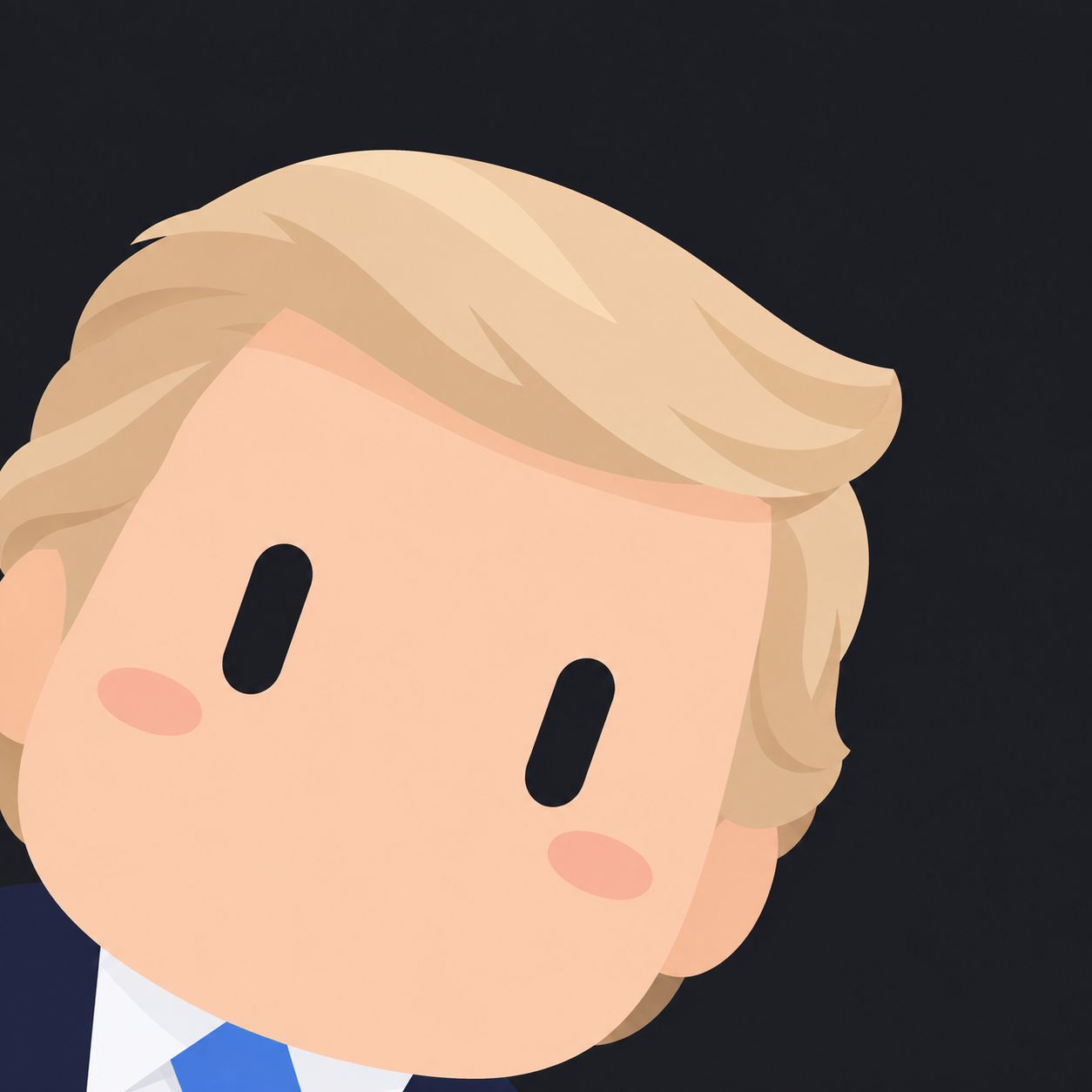
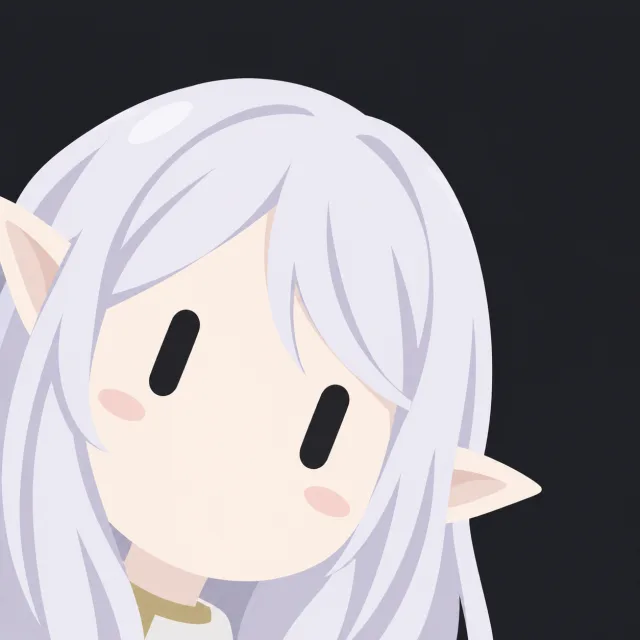
Draw the eyes as exactly two solid capsule shapes in a near-black single color. When the face is held upright, they are vertically long bars with rounded ends. The vertical length should be about 2.5–3 times the horizontal width, and both eyes should be the same size and arranged parallel to each other.

The long axis of each eye must be perpendicular to the line connecting the centers of the two eyes. While maintaining this arrangement, tilt the head and both eyes together in the direction and angle specified in 【Composition】. Do not draw horizontally lying bars or closed-eye shapes.

Fill each capsule with a single uniform color with no gaps. The shape itself is the eye, so do not draw separate irises or pupils inside.

Do not include irises, sclera, reflections, sparkles, gradients, eyelashes, eyelids, eyebrows, or border decorations. Do not include strokes that resemble the hook or base of the number 1.

Prioritize this specification over the original eye shape or eye color.

【Composition】

Place a single character on a 1:1 square canvas. Enlarge the face and hair outline very large so they occupy most of the frame.

Compose the character looking up from the lower-left of the frame with the head tilted. Tilt the head clockwise about 15–20 degrees so the left eye (on screen) appears slightly higher than the right eye. The face, both eyes, hair, and attached decorations should share the same tilt.

Allow the left and bottom edges of the head to be naturally cropped by the frame. The chin should touch or partly extend off the bottom of the frame, leaving a darker negative space in the upper-right.

Both eyes must be fully visible and not obscured by bangs or decorations. Avoid a small-centered passport-photo composition or a perfectly symmetrical left-right composition.

Do not draw the torso or hands. Leave only small parts of the neck or collar at the bottom of the frame if necessary for identification. The face enlargement and edge cropping are intentional composition choices.

【Hair·Accessories·Coloring】

Simplify hair into several large, smooth chunks rather than many fine strands. Maintain the source’s direction of bangs, sense of length, and overall silhouette.

Use a minimal 2D treatment centered on color areas with almost no outlines. Rather than thick black outlines, define form by differences between adjacent color areas.

Color flatly and softly using the source’s dominant colors. Add only one broad, weak shadow level to the base color; if hair highlights are needed, limit them to one or two large color areas.

Keep decorations and mechanical parts to their silhouette and major connection areas. Omit small screws, wiring, circuits, dense panel lines, and complex patterns.

Even when reduced to a small profile icon, the two black capsule eyes and the source’s key silhouette should be immediately readable.

【Background and Excluded Elements】

Use an almost-black deep charcoal solid color that fills the entire canvas as the background. Do not include background objects or patterns.

Exclude circular frames, badge borders, text, numbers, logos, watermarks, speech bubbles, exclamation marks, glitter, particles, bloom, or lens flare.

Avoid photorealism, 3D renders, oil-paint textures, rough sketch lines, excessive gloss, complex shading, stray hair rendering, and crowded decorations.

【Conflict Resolution】

If rules conflict, follow this order:

1. Two plain black capsule eyes without decoration.
2. Round bot face without mouth or nose.
3. Tilted ultra-close composition with both eyes fully visible.
4. Source base colors and key identifiable features.
5. Other details.

If bangs would cover the eyes, slightly adjust length, width, and position while maintaining the representative flow. If a key decoration would be completely lost to cropping, make minor size and position adjustments so a recognizable part remains. Do not invent features that are not present in the source during this process.

【Execution and Follow-up Revisions】

When a user requests generation or conversion, respond with a single completed icon image actually generated, without explanation or text. If one image to be converted is attached and no separate questions were asked, treat it as a default conversion request.

If the conversion target image is not available, request it be attached. If an image contains multiple people and the target is not specified, ask which person to convert.

If the user only asks for prompt modification, rule explanations, result analysis, or usage information, reply in text and do not generate a new image. Production specifications are provided in writing only when requested and are not to be included within the image.

For follow-up revisions, change only the requested parts and maintain the style specifications and character features unless separate change requests are made.

Do not describe results as generation-complete or verification-complete for results that were not actually created or checked.
Input images
Summary
Upload one photo or illustration you want to make into an icon, copy and paste this prompt as-is, and run it.