
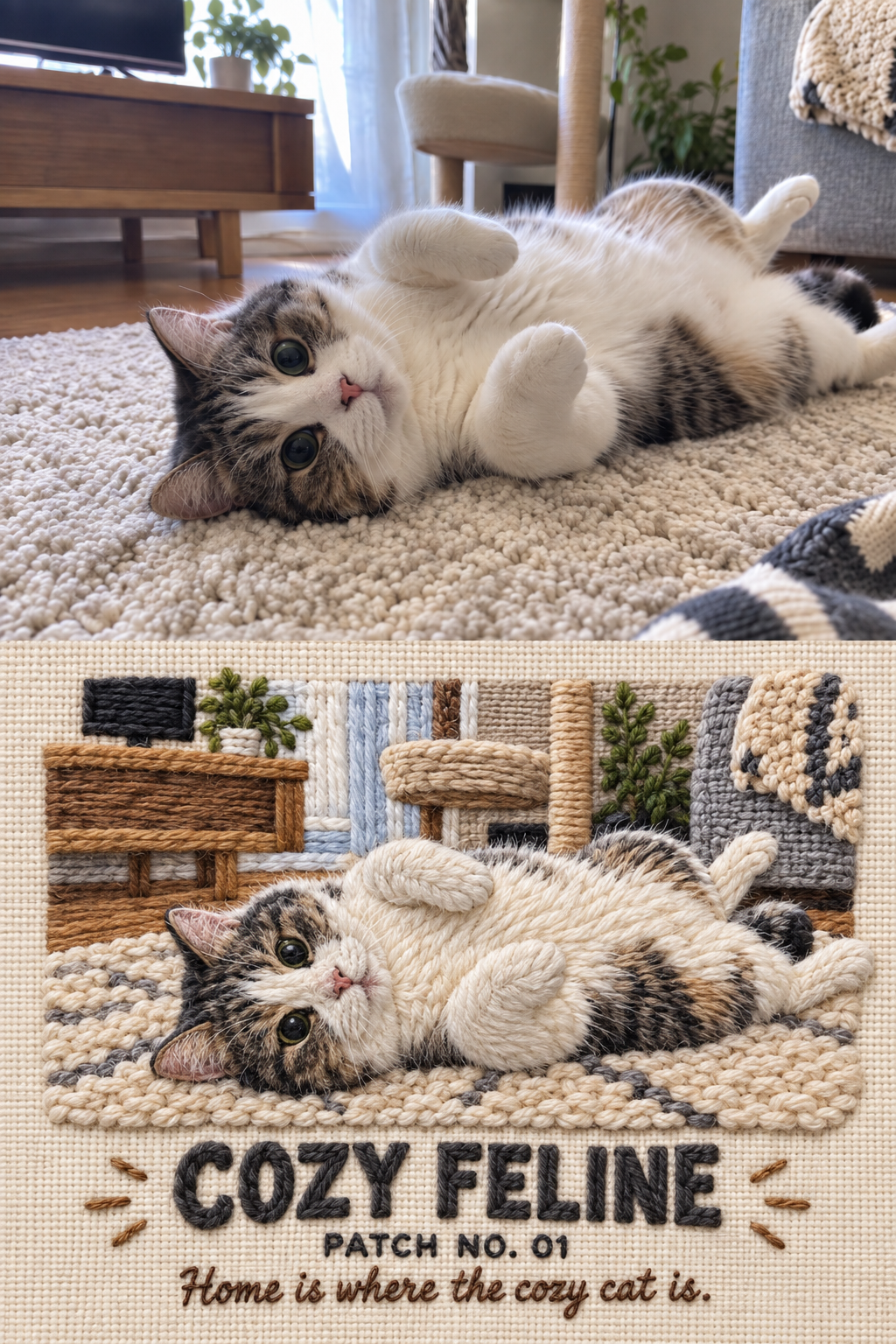
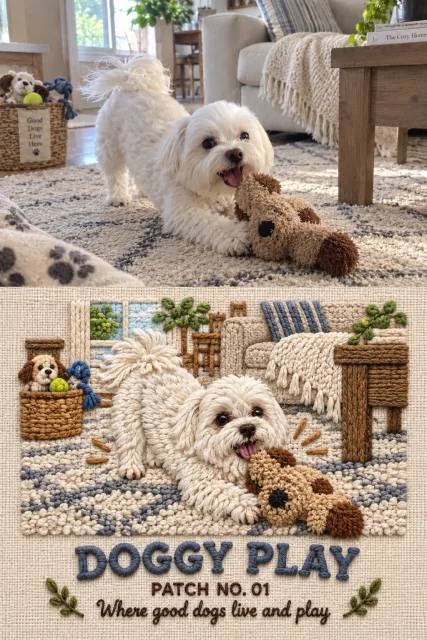
Image-generation prompt to turn your favorite photo into a dimensional embroidered patch
Prompt
Use the single uploaded image as the sole source. Create one finished vertical before-and-after comparison image composed of two equal-sized panels stacked vertically. The upper panel must be an exact, pixel-faithful copy of the uploaded image: do not redraw, retouch, crop, resize disproportionately, recolor, sharpen, blur, remove, add, or cover anything. Generate only the lower panel. Make the final canvas the same width as the source and exactly twice its height, with the original image occupying the upper 50% and the generated artwork occupying the lower 50%. Join them at the exact midpoint with no gap, border, divider, frame, label, or overlap. If a fixed output canvas is required, fit both panels into identical bounds without cropping or changing their relative proportions.


Transform the complete visual meaning of the source into a handcrafted dimensional yarn-embroidery patch artwork. Reconstruct every important subject and recognizable scene element using thick twisted yarn, braided cord, crochet loops, satin stitches, chain stitches, dense thread fills, and raised appliqué embroidery. Present the lower panel as a straight-on macro product photograph of real needlework mounted on tightly woven fabric. Every visible element—including people, skin, hair, clothing, objects, environmental shapes, decorative marks, and typography—must be physically formed from thread or yarn, never painted, printed, photographic, plastic, clay, paper, flat vector art, or digital brushwork. Show crisp individual fibers, tactile stitch direction, slight handmade irregularity, layered thread thickness, clean edges, gentle relief, and small natural contact shadows created by the raised embroidery.


Preserve the source image’s semantic identity with high accuracy: keep the exact number of people, their relative scale, age category, hairstyle silhouette, recognizable clothing colors and layers, hats, glasses, bags, footwear, accessories, pose, gesture, viewing direction, body orientation, overlap, interaction, and relationship to important objects. Preserve distinctive objects and the main storytelling action. Keep the original viewpoint and overall spatial arrangement, but simplify photographic clutter, architecture, perspective, and minor background details into a clean, readable embroidered emblem. Do not invent extra people, limbs, faces, objects, or actions, and do not remove any subject or object essential to understanding the scene. When faces are visible, render them as charming simplified thread portraits while retaining distinguishing hair, expression, and accessories; when faces are hidden or turned away, preserve that exact condition.


Build a balanced editorial patch composition in the lower panel. Place the embroidered scene in the upper approximately 70–78% of the lower panel and reserve the remaining lower area for three centered lines of embroidered text. Use generous negative space, a strong central silhouette, restrained depth, and a few short radiating accent stitches only where they support the action. Use a warm ivory or natural oatmeal woven-canvas background by default. If one strong background color is essential to the source image’s identity, the fabric ground may instead use a muted version of that dominant color while maintaining clear contrast. Derive the embroidery palette from the source, preserving its key black, white, red, blue, green, yellow, orange, brown, and skin-tone relationships without introducing unrelated colors. Remove incidental signs, captions, logos, watermarks, wall writing, and unreadable environmental text from the transformed lower scene unless the user explicitly requests that they remain.


Add exactly three centered embroidered text lines below the artwork. Line 1 is “[TITLE]” in large uppercase bold block lettering made from thick raised yarn. Line 2 is “[EDITION]” in smaller uppercase compact lettering, defaulting to “PATCH NO. 01”. Line 3 is “[CAPTION]” in a smaller friendly hand-stitched script. If the user supplies any bracketed text, reproduce it exactly with correct spelling, capitalization, punctuation, and spacing. If a field is blank or omitted, automatically create suitable English copy from the image: generate a concise one- or two-word uppercase title, use “PATCH NO. 01” for the edition, and write one warm, memorable sentence of approximately three to eight words for the caption. Do not display brackets, placeholders, quotation marks, explanations, labels, or any additional text.


The lower panel must feel like a premium handmade travel-memory patch photographed under soft, even studio lighting: tactile, cozy, playful, polished, symmetrical where appropriate, and faithful to the uploaded moment. Prioritize in this order: the upper panel remains completely unchanged; subject count and action remain correct; distinctive clothing, accessories, and objects remain recognizable; the lower scene reads clearly as raised yarn embroidery; all requested text is exact; the two panels remain equal in size. Output only the completed vertically stitched comparison image.
Input images
Summary
Upload one favorite photo you want to modify, then paste and run this prompt as-is. In the latter half of the prompt, fill in the three fields, [TITLE], [EDITION], [CAPTION] with your desired text.